Midjourney
The short verdict
Worth the subscription if atmosphere and speed are what you need and you can accept paying before you test. It is the wrong tool when the brief contains exact text, exact counts or exact brand colour, and it is the wrong tool for confidential work on a lower tier. Buy the tier with unlimited relaxed generation or don't buy at all — rationing prompts is the worst way to learn it.
- Maker
- Midjourney
- Category
- Image
- Entry price
- Paid subscription
- Free option
- No standing free tier; trials appear and disappear
- Works on
- Web app, Discord, mobile browser; nothing runs locally
- Pricing checked
- October 2026
What Midjourney is, plainly
Midjourney is the image tool people mean when they say "the AI made that". It grew up as a Discord bot and now has a proper web editor with an image feed, a prompt bar and buttons for the operations that used to be slash-commands. Its identity is taste rather than control: out of the box it gives you lighting, texture, lens behaviour and colour grading that look finished, which is why concept artists, set designers and brand people keep a subscription even when a chat assistant can generate pictures for free. Two structural facts matter before you try it. There is no reliable free tier, so you pay before you can judge it; and there is no self-serve public API for ordinary subscribers, so it does not slot into an automated pipeline the way an open model does.
The working loop is: write a prompt, get a grid of four, then upscale, vary, pan or zoom out of the one you like. A parameter vocabulary sits on top of that — aspect ratio, how strongly the model applies its own aesthetic, deliberate randomness, tiling for patterns — plus reference images, one for pulling a look across a set and one for holding a character's face. There's also a reverse flow where you upload an image and it writes the prompt that would have produced it, which is the fastest way to learn the vocabulary by imitation. What you learn in the second week is that variation is not a slider: the same prompt twice gives two different pictures, and getting one consistent character or one exact product angle across ten shots is the hard problem nobody warns you about.
The failure modes are specific and worth knowing. Text inside images has improved a lot and is still unreliable past a few short words; it produces lettering that looks right in a thumbnail and is wrong at full size, which is exactly the bug that reaches a client. Hands, counted objects and spatial instructions ("the cup to the left of the lamp") get quietly ignored. Style drifts toward one glossy house look unless you push against it, so a set of ten images can read as one image with the subject swapped. On rights: commercial usage is tied to having a paid plan, and the terms make separate arrangements for very large businesses — read them rather than trusting a blog post. Two more things a directory page rarely says: generations may be visible to other users in the shared gallery unless your tier offers private output, and in the US a purely machine-made image is not eligible for copyright registration, so "we own it" may mean less protection than you assume.
Where it wins
- The most finished-looking first draft in the category — lighting, texture and composition arrive right without a long prompt.
- Style and character references give you a real (if imperfect) way to keep a set of images looking related.
- Unlimited relaxed generation on the mid tier and above changes the economics of experimenting; you stop rationing prompts.
- No setup, no hardware, no node graphs — a non-technical colleague can be productive in ten minutes.
Where it falls short
- No standing free tier: you pay to discover whether the house style suits you.
- Weak on precision — exact text, exact counts, exact spatial layout and exact brand colour all get negotiated by the model.
- Character consistency across many shots remains a manual, reroll-heavy job.
- Commercial rights depend on plan tier, and private output depends on a higher tier; a shared gallery is a real consideration for client work.
What it's built for
Prompt-to-grid generation with iterative controls
Four candidates per prompt, then per-image upscale, subtle vary, strong vary, pan and zoom. The zoom and pan controls are genuinely useful for rescuing a composition you like but framed badly, rather than rerolling from scratch and losing the lighting.
A parameter vocabulary instead of a settings panel
Aspect ratio, aesthetic strength, weirdness, chaos, tile mode and version switches are appended to the prompt. This is powerful for repeatable looks and terrible for beginners; save the parameter strings that work in a note file, because they are the closest thing Midjourney has to a brand kit.
Style references and character references
Feed it one or more images and it pulls the palette, lighting and treatment from them (style) or holds a face across shots (character). Style reference gets you a family of images that feel related; it will not match a specific brand's exact hex colours or a real product's proportions.
Describe: image in, prompt out
Upload a picture you like and it returns prompt text plus a matching style code. Use it the other way round from tutorials — it is the quickest practical way to reverse-engineer a look you cannot describe in words.
Editing and region work inside the web app
Inpaint-style region editing and outpainting exist now, but treat them as "regenerate this area in the same style", not as Photoshop. Fine detail around a hard-edited boundary still needs a real editor afterwards.
What it costs, and what these numbers cannot tell you
| Plan | Indicative price | What you actually get |
|---|---|---|
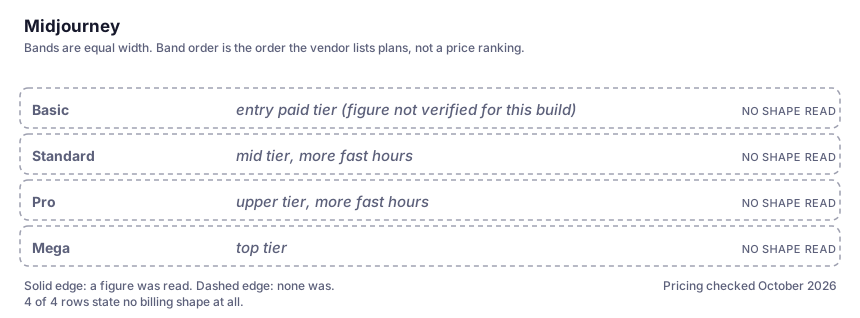
| Basic | entry paid tier (figure not verified for this build) | A fixed monthly subscription with a bounded allowance of fast GPU time per month. Enough for someone making a few hundred images personally; you will run out mid-session if you reroll a lot. Names and current prices are on the vendor's own pricing page — check them before you buy, because we did not verify them here. |
| Standard | mid tier, more fast hours | The one that changes how you work: it adds unlimited relaxed generation, meaning off-peak you keep making images after the fast hours are gone. If you only ever buy one tier to try the tool, this is the shape of plan that stops you rationing prompts. |
| Pro | upper tier, more fast hours | Larger fast-hour allowance plus the private-generation option people need when the work is client-confidential. On a lower tier, assume what you make may be visible to other users. |
| Mega | top tier | For studios running batch exploration or long season-of-concept projects. Only sensible if the queue, not the money, is your bottleneck. |
Who it fits, and who it doesn't
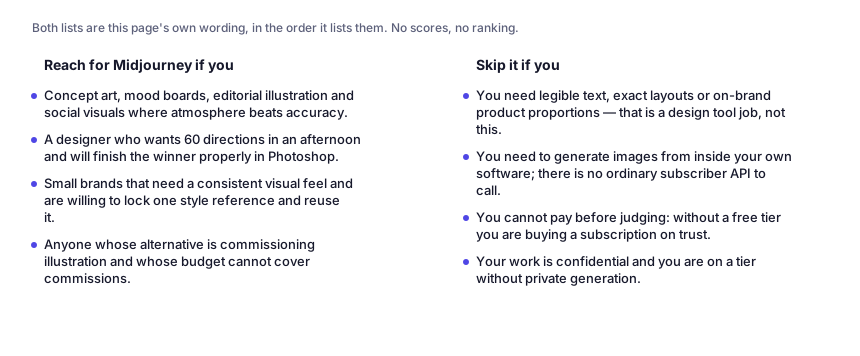
Reach for Midjourney if you…
- Concept art, mood boards, editorial illustration and social visuals where atmosphere beats accuracy.
- A designer who wants 60 directions in an afternoon and will finish the winner properly in Photoshop.
- Small brands that need a consistent visual feel and are willing to lock one style reference and reuse it.
- Anyone whose alternative is commissioning illustration and whose budget cannot cover commissions.
Skip it if you…
- You need legible text, exact layouts or on-brand product proportions — that is a design tool job, not this.
- You need to generate images from inside your own software; there is no ordinary subscriber API to call.
- You cannot pay before judging: without a free tier you are buying a subscription on trust.
- Your work is confidential and you are on a tier without private generation.
Where it stops fitting
How to test it properly in 30 minutes
Don't judge a tool on the demo. Run the same four tasks you'd actually do with it, and score it against this checklist — the same one this desk works from before a profile goes up (see how we check a tool).
- Write one prompt with three hard constraints (exact text in the image, a specific count of objects, a specific left/right arrangement) and count how many it satisfies. That is the precision ceiling, not the pretty examples.
- Try to produce the same character in three different scenes using the character reference. Judge whether it is usable for a sequence or only for singles.
- Run one prompt at the default aesthetic strength and one dialled down. See whether you can get away from the house look at all.
- Generate a set of ten images for one campaign and lay them side by side. Look for the drift, then decide whether style references fix it.
- Read the current terms for the tier you would actually buy — commercial usage, private output, and what happens to images you already made if you cancel.
Questions people ask
Can I use Midjourney images commercially?
If you have a paid subscription, the terms generally let you use what you generate; companies above a revenue threshold are pointed at a separate arrangement, and that threshold has changed over time, so verify it on the vendor's terms page rather than here. Owning the usage rights is not the same as owning a copyright — in the US, an image with no meaningful human authorship is not registrable. For anything brand-critical, get your own lawyer's read of the current terms.
Are my generations public?
Historically everything made in the shared Discord and web galleries was visible to other users, and private generation is a feature of the higher tiers. Treat it as the default risk: assume a competitor could see a concept you explored. Check the setting inside your own account before uploading anything confidential.
Why does my text come out wrong?
Because the model composes lettering as texture, not as typography — it optimises for the shape of words rather than the spelling. Short words in large sizes survive; sentences, small print and accents fail. It looks fine in the preview grid at thumbnail size, which is precisely how bad lettering reaches a client. Render real text in a design tool over the top instead.
Is there an API?
Not a self-serve one for normal subscribers, which is the practical answer: you cannot point a build pipeline at it the way you can with an open model or a big-lab image endpoint. If automation is the requirement, compare Stable Diffusion or a hosted image model and keep Midjourney for exploration.
Alternatives worth comparing
Image generation that lives inside your chat: good at following a fussy written brief, average at making it look beautiful.
The image model you run yourself: unlimited private generations and real control, paid for in setup time and hardware.
AI built into Canva — on-brand graphics, decks and quick edits for non-designers who already make their visuals there.
Disclosure: this profile is editorial. Midjourney did not review it, pay for it or provide a free account for it. Links to the vendor are plain outbound links, not affiliate links. Errors are mine — report one and it gets fixed and logged on the updates page.