Canva Magic Studio
The short verdict
The best AI-for-regular-people bundle on this site, provided you buy it for the editing tools and brand governance and treat the generators as a convenience. If you're paying fifteen-ish dollars a month specifically for text-to-image, you should not be — a dedicated tool does that better. And if a designer scrutinises your output, 'looks like Canva' is the risk you're accepting.
- Maker
- Canva
- Category
- Design
- Entry price
- Freemium
- Free option
- Yes, with AI usage limits; full power sits behind Canva Pro
- Works on
- Web, Windows, macOS, iOS, Android
- Pricing checked
- October 2026
What Canva Magic Studio is, plainly
Magic Studio is Canva's umbrella for its AI features — text-to-image, magic write and edit, design-from-prompt, background removal, magic transitions, and a growing set of assistants — all wrapped into the design tool non-designers already use. The strategic idea is sound and worth stating plainly: AI is worth least as a destination and most as a coating on the place you already work. Canva has the placement; you don't adopt Magic Studio, you just notice Canva answering prompts.
The judgement varies sharply by feature. The editing utilities — background remover, magic erase, resize-everything, one-click brand kit application — are the real value and are close to unarguable: they replace hours of tedious manual work and no standalone AI tool covers them this conveniently. The generation side is middling. Magic Media images are fine for concepts, placeholders and social filler, but behind dedicated image generators on style control and coherence; Magic Design decks are convenient but visibly Canva-flavoured, where Gamma starts from text more gracefully. The correct mental model is: buy it for the scissors, get the generator free, and never pretend the generator is why you subscribed.
Pricing needs the same honesty. Canva's free plan is generous but the AI usage is metered — a monthly allowance of credits, with the heavier features gated to paid entirely — and Pro, which bundles the brand kit, resize and the whole element library most people actually want, sits at roughly fifteen to twenty dollars a month depending on billing period and region, with per-seat pricing above that. If you're paying for Pro purely for AI, you've mis-diagnosed yourself: Pro earns its money on brand kits, templates and export options, with AI riding along. For teams, the per-seat cost compounds, so ask whether the brand-kit enforcement is worth it or whether your design system needs a real designer plus a real tool.
There's a subtler limitation worth naming: everything comes out looking like Canva. That's a feature for an internal slide or a social post — consistency is what the templates are for — and a liability for anything that needs to look like your brand specifically. The gap between 'looks put-together' and 'looks yours' is exactly where non-designers stop noticing, and where paid reviews begin. Manage expectations accordingly, and audit the stock elements it reaches for; template-y is the polite name for everyone-else's-taste.
Where it wins
- The editing AI — erase, remove, resize, restyle — is the most practically useful AI bundle for non-designers, full stop.
- Placement advantage is real: no new workflow, no new file formats, works with the templates and brand kit you already maintain.
- The free plan plus limited AI credits genuinely covers hobby and very-light use without nudging.
- Brand Kit plus AI enforcement of it is one of the few AI-for-teams features with visible, audit-ready results.
Where it falls short
- Everything looks Canva: convenient for internal use, a tell on client-facing work.
- Generated images lag dedicated image tools on style control and iteration quality — the generator is a bonus, not a reason.
- The Pro subscription's real value is the non-AI bundle, so anyone paying 'for the AI' should price-check that assumption honestly.
- Per-seat team pricing compounds quietly, and the AI credit meter means heavy users hit walls the plan name doesn't suggest.
What it's built for
Magic Media: prompt-to-image and video
Generate images and short video clips from text inside the editor. Adequate and convenient; style-precise work still belongs in a dedicated image tool, and generated output carries the usual questions about similarity to existing styles.
Magic Design
Describe a deck, post or video and it assembles a fully formatted draft from Canva's template world. Fast, editable, and recognisably Canva — good as a starting point, thin as a finished product.
Magic Edit and Magic Eraser
Brush over an object to replace or remove it. The background remover alone justifies a Pro trial for anyone who processes product photos; this class of editing tools is where the subscription actually pays.
Magic Write
Drafting and rewriting captions, ad copy and slide text inside designs. Serviceable — clearly weaker than a real assistant for long-form, so treat it for short copy and keep your writing tool open for anything over two sentences.
Brand Kit and template governance
Locks fonts, colours and logos so everyone's outputs stay on-brand. Less glamorous than AI, more valuable for teams, and a major reason the Pro tier is a business purchase rather than a hobbyist one.
What it costs, and what these numbers cannot tell you
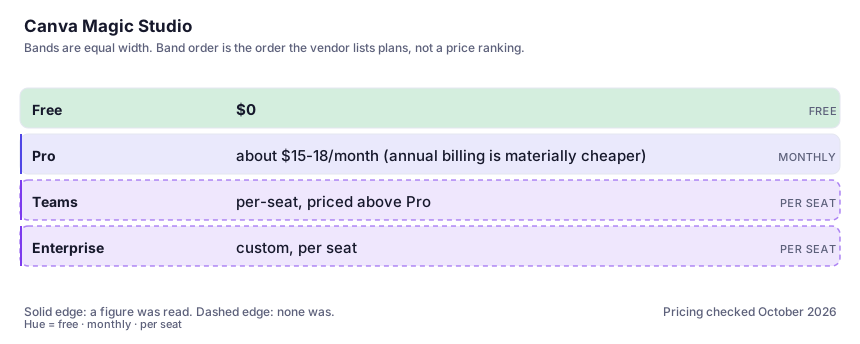
| Plan | Indicative price | What you actually get |
|---|---|---|
| Free | $0 | Full editor, a big template library, limited AI credits. Enough for occasional visuals; heavy generation burns the allowance and pushes you to pay. |
| Pro | about $15-18/month (annual billing is materially cheaper) | Brand kits, Magic Resize, the premium element library, and a substantially larger monthly AI credit allowance. This is the tier where Magic Studio becomes usable rather than trialable — the value is the whole Pro bundle, not the AI alone. |
| Teams | per-seat, priced above Pro | Shared brand kits, collaboration controls and admin. The number scales with headcount; get the current per-user figure from Canva directly before budgeting — it varies by plan size and region. |
| Enterprise | custom, per seat | SSO, approvals and content governance for organisations where brand compliance is auditable. If procurement must sign off, the contract terms matter more than the feature grid here. |
Who it fits, and who it doesn't
Reach for Canva Magic Studio if you…
- Small businesses and social-media managers producing recurring branded graphics without a designer.
- You already live in Canva; the AI is an upgrade to habits, not a new habit.
- Product-photo-adjacent work: e-commerce sellers who live in background removal and cleanups.
- Teams that need lightweight design governance — shared brand kit, everyone's decks roughly matching.
Skip it if you…
- You need images with precise, repeatable style control — that's a dedicated generator like Midjourney, not this.
- You're a capable designer; the AI shortcuts will fight your instincts and the templates will flatten your output.
- Your ask is decks-from-plain-text — Gamma handles that first-draft better and costs less per deck.
- You need genuinely on-brand visuals at scale; 'consistent because it's Canva' is not a brand system.
How to test it properly in 30 minutes
Don't judge a tool on the demo. Run the same four tasks you'd actually do with it, and score it against this checklist — the same one this desk works from before a profile goes up (see how we check a tool).
- Take one real recurring task — a weekly social post, a product cut-out — and do it end-to-end on the free plan while counting the AI credits consumed.
- Generate the same concept here and in your writing assistant plus a dedicated image tool. Score which output needed least fixing, not which was fanciest.
- Make one deck with Magic Design and open it cold on a projector or screen share. Judge whether it embarrasses you in front of your actual audience.
- If it's a team buy: set the brand kit and have two colleagues produce assets unaided. The governance value shows up there or not at all.
- Check the current AI credit allowance on the plan you'd buy — the numbers in this section were read from the pricing page at writing time and change.
Alternatives worth comparing
Gamma
Turns a text dump into a presentable deck, doc or site in minutes — for people who'd rather edit a draft than build one from blank.
For mood boards, concept art and illustration: the best aesthetic defaults in the category, the least control over exact composition.
Image generation that lives inside your chat: good at following a fussy written brief, average at making it look beautiful.
Disclosure: this profile is editorial. Canva Magic Studio did not review it, pay for it or provide a free account for it. Links to the vendor are plain outbound links, not affiliate links. Errors are mine — report one and it gets fixed and logged on the updates page.