Choosing an AI image generator in 2026: a practical, non-technical guide
Ask five people which AI image tool is best and you'll get five confident answers that are all correct — for their use case. Image generation has matured into several distinct products wearing the same label: the art studio, the assistant's sketchpad, the open model you run yourself, and the design tool with generation bolted on. This guide sorts them by job, so you pick in five minutes instead of trial-subscribing for a month.
The four families, in one paragraph each
The dedicated art platforms (Midjourney-style) optimise for taste: striking lighting, composition and style from a short prompt. You trade control for beauty — a good deal for mood boards, concept art and scroll-stopping social visuals.
In-chat generation (assistants that draw on request, such as ChatGPT and DALL·E) optimises for convenience and instruction-following — less "gallery", more "useful", in the same window where you write the post around it.
Open models you run yourself (Stable Diffusion-family, locally or on rented GPUs) optimise for control: character consistency, fine-tuned styles, batch pipelines, no policy surprises, and prompts that stay yours. Design-integrated generators (the Canva-style suites) optimise for deliverables: generate the image, drop it in the template, resize for three platforms.
| Family | Style control | Text in the image | Commercial-use answer | Who it suits |
|---|---|---|---|---|
| Dedicated art platform | Strong house look, steered by prompt and reference images | Improving, still unreliable | Tied to the paid tier — read the licence | Concept work, campaigns |
| In-chat generation | Best at following instructions | Short phrases land sometimes | Tier-dependent; chats are stored | Blog art, diagrams, quick assets |
| Open models, self-run | Deepest: checkpoints, LoRAs, seeds | Weakest without a specialist model | The licence is on the weights, not your images | Consistency work, private briefs |
| Design suite | Mild art direction | Real text layers beside the image | Bundled with the editor's asset licence | Shipping the finished asset |
Match the family to the job
- Blog and article illustrations: in-chat or design-integrated. You need "on-topic and clean," not "award-winning," and you need it in two minutes.
- Brand visuals and campaigns: art platforms to explore, then recreate the winning direction in a controllable tool for final assets. Exploring in one tool and finishing in another is normal, not failure.
- The same character across many images: open models. Reference images, LoRA-style fine-tunes and seed control keep your mascot from turning into three different people; hosted art tools are improving here, but consistency on demand is still the open model's home turf.
- Text inside images (posters, logos, labels): the classic failure mode. Newer tools handle short text surprisingly well, but results vary — generate several candidates and expect to fix lettering in a real editor for anything important.
- Product mockups with exact geometry: design-integrated or traditional tools with AI assist. Generators invent plausible-but-wrong details — six buttons where your device has five — so anything that must match a spec sheet needs a human check.
What each family costs per keepable image
Price per image is the number nobody publishes, because it isn't a price — it's a ratio. You pay for attempts and keep a fraction: plan on several runs per image you'd ship, more when the brief contains text, a specific product shape or a character who has to stay the same person. Compare plans on how attempts are metered, never on a headline figure.
- Dedicated art platforms meter GPU time. Midjourney sells a monthly allowance of "fast" generation time, and the higher tiers add a relaxed lane that doesn't draw on it. That structure matters more than the monthly figure, which I've left unquoted — read the vendor's pricing page. Reroll heavily without a relaxed lane and you're rationing prompts.
- In-chat generation rides on a subscription you may already pay for. The main assistants include generation in their paid individual tiers, capped per period. For a few illustrations a week the marginal cost is nothing, making this the cheapest family in practice; the OpenAI image tool is the convenient one if you already live in ChatGPT.
- Open models cost per image only in electricity. Stability AI's Community License ties payment to a company-revenue threshold rather than usage, so below it the weights are free and the bill is hardware: a discrete GPU with enough video memory, or rented compute by the hour. An office laptop makes the tool feel broken rather than slow; to try the route without one, run a hosted demo on Hugging Face.
- Design suites bundle generation with the editor. Canva Magic Studio puts generation inside a plan that also carries the editor and its assets, with AI features drawing on a separate allowance. "Pro" does not mean unlimited images — the meter is the story.
A worked brief: seven lines instead of adjectives
Before generating anything I'd publish I write the brief in this order — subject first, exclusions early, grade last. The brief is the asset; the prompt is a rendering of it into whatever dialect a tool prefers.
- Deliverable: 16:9 hero image for a pricing page, mostly seen on laptops.
- Subject: one ceramic pour-over coffee set on a matte stone counter.
- Must be true: three-part construction, no electric kettle, spout points left.
- Light: soft window light from camera left, long shadow, no flash.
- Palette: warm grey, oat, one accent of deep green.
- Exclude: people, hands, text, logos, steam, clutter.
- Grade: muted, slightly underexposed, no orange-teal push.
Line six does most of the work: text and hands are the failure modes that survive every tool, so briefing around them is cheaper than repairing them. Line three doubles as the review checklist. Two habits carry straight into the prompt: concrete nouns and camera language beat adjectives — "low angle, 35mm, shallow depth of field" does more work than "cinematic", and "cozy" or "clean" do none — and you change one variable per run, or you can't tell what fixed it. The prompt-writing guide covers the rest.
How to check a generator yourself in twenty minutes
Image profiles here come from documentation and the samples vendors publish themselves — no trials, no production use, and no generated stand-in presented as real output. I say that up front because it limits how much weight this guide can carry: treat it as a shortlist and run these checks on the tier you'd buy.
- Four runs of one identical prompt at defaults. Three strong and one broken is a consistency ceiling; four weak ones points at the brief.
- Change one variable only — light or palette — and run again. A tool that loses the look when you edit one line won't hold a series together.
- Ask for what the demos avoid: four words on a sign, a hand holding the object, your product's actual silhouette.
- Download the file and view it at 100%; preview grids hide soft edges and ruined faces.
- Read that tier's licence, and check whether your images are visible to other users — on art platforms, privacy is usually a higher plan.
The longer version, with the scoring I hold tools to, is how to evaluate an AI tool before you pay.
Commercial use, likeness and privacy
Commercial use. Read the licence for the tier you buy, not the marketing page. Tools differ on whether paid plans grant commercial rights — free plans frequently don't — and some allow use but forbid reselling as stock. Two minutes here saves a week of arguing.
Training-data comfort. Some companies prohibit uploading brand assets to third-party generators; some prohibit generated images in campaigns entirely. Settle that policy before committing to a workflow — open models exist partly for this constraint.
Privacy of prompts. Your prompts often contain product plans. Check whether the tool trains on inputs and how to opt out; it's usually a setting, and usually buried.
Resolution ceilings. Native output rarely covers print, so a large format also needs an upscaler — built in, or one of the free options in the free-tools roundup.
People are the hard part. A photorealistic face resembling a real, identifiable person is a different act from generating a person: it's someone's likeness, and the burden of proof falls on you. This site's line: no real individual's face without explicit consent, no public figures in anything that reads as an endorsement, no synthetic humans passed off as real staff. Label synthetic people in commercial work — audiences react far worse to discovering a fake than to being told one.
Style control: what actually moves the picture
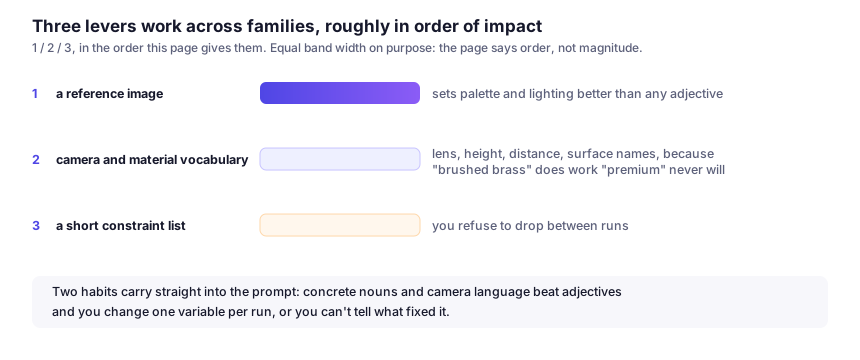
Three levers work across families, roughly in order of impact: a reference image, which sets palette and lighting better than any adjective; camera and material vocabulary — lens, height, distance, surface names, because "brushed brass" does work "premium" never will; and a short constraint list you refuse to drop between runs.
The failure that costs most time is a drifting series: six images, six looks. Fix it by reusing one style paragraph verbatim, holding the aspect ratio constant and generating the set in one session. If the brief demands the same character across many frames, move to an open model with seed and fine-tune control rather than prompting harder.