Copy.ai
The short verdict
A process tool wearing a copywriter's costume. If you run the same content job every week against real data and hand it to colleagues, it earns its entry price. If you mostly write alone, you're buying orchestration you don't need — the assistant you already pay for will do the sentences.
- Maker
- Copy.ai
- Category
- Writing
- Entry price
- Paid subscription
- Free option
- No full free plan any more; entry is a paid seat
- Works on
- Web, browser extension, integrations, API
- Pricing checked
- October 2026
What Copy.ai is, plainly
Copy.ai began as a wall of short-copy templates and has since rebuilt itself around workflows: multi-step chains that take an input like a prospect list or a product feed and produce structured output like a set of emails or a batch of ad variants. The chat window is still there, but the reason to pay is the plumbing — steps that run in order, save as a reusable process, and connect to the tools where the data actually lives.
That repositioning changes how honest you have to be about value. For short-form copy alone, this is a template library over third-party models, and a general assistant with a well-written prompt does the same job for a fraction of the price. What a plain assistant does not do is run the same 14-step process reliably every Tuesday against a spreadsheet, hand it to four colleagues without each of them writing their own prompt, and push results into a CRM. If your work is repetitive and shared, that is the purchase. If it is occasional and solitary, it isn't.
Those mechanics predict failure modes that are workflow-shaped. A chain of steps compounds: whatever drift happens in step two becomes the premise of step five, so a long workflow quietly builds on a mistake you never re-read. Bulk generation produces variants that differ in wording but not in angle, which looks like plenty of options and tests like one idea said six ways. Failed and partial runs still consume credits, so an integration that breaks mid-batch costs you money for nothing. And connectors are the usual fragile part of any SaaS stack — they stop returning data silently, and the output keeps looking plausible.
Pricing deserves a clear-eyed look too. The entry tier is a normal software price and fine to trial. The next steps up are an order of magnitude more expensive because they are built around teams and volume, which means the tool is either obviously cheap or obviously not for you, with little middle. Read the plan page for current seat counts and workflow credit allowances before assuming a small upgrade path exists.
For regulated claims, healthcare, finance or anything a lawyer touches, treat generated copy as a first draft and keep the review process, not the tool's confidence score, as the gate.
Where it wins
- The workflow builder genuinely replaces a repeatable manual process, which is where the time saving is.
- Bulk generation from a spreadsheet is one of the few AI features that scales linearly with input rows.
- Entry price is modest for what a team gets, and the unlimited-word chat removes the anxiety of counting output.
- Saved brand context shared across a team beats everyone freelancing their own prompts.
- Model choice per step lets you trade quality for speed on a job-by-job basis.
Where it falls short
- For plain short-form copy you're paying for orchestration a general assistant gives you for free.
- Multi-step chains compound errors; the final output can rest on a step you never re-read.
- Bulk variants tend to differ in vocabulary rather than in angle, which is not the same as choice.
- The price cliff between the entry tier and team plans is large, with little in between.
- Workflow credit allowances are easy to burn on failed or half-finished runs.
- Integrations fail quietly, and stale source data produces confident nonsense.
What it's built for
Workflow builder
Chain prompts into repeatable multi-step processes with inputs, conditions and outputs. This is the real product. Its value rises with how often the same job recurs and falls to zero if you only write occasionally.
Bulk runs from a file
Feed a CSV of prospects, products or keywords and get a column of copy per row. Fast and useful; the standard trap is accepting all 200 rows without reading fifteen of them.
Chat with brand context and projects
Saved brand guidance and project memory keep tone consistent between sessions, which is the part a bare assistant tab does not give your team by default.
Access to several underlying models
Depending on plan, you can pick which model runs a step. Handy for quality, and a reminder that you're paying for orchestration rather than a proprietary brain.
Integrations into sales and marketing stacks
CRM and sheet connectors let output land where work is tracked. Set expectations that these break, and build a check that the data flowing in is fresh.
What it costs, and what these numbers cannot tell you
| Plan | Indicative price | What you actually get |
|---|---|---|
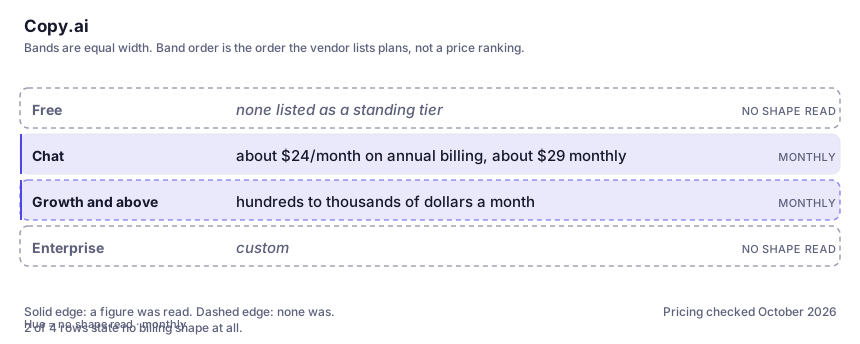
| Free | none listed as a standing tier | The long-standing free plan has been withdrawn, so plan on evaluating via the trial or the cheapest paid seat. If a limited free option appears for your region, verify its terms on the vendor page rather than on a review blog. |
| Chat | about $24/month on annual billing, about $29 monthly | Unlimited words in chat, a handful of seats, some workflow access. This is the solo-and-small-team entry point and the only tier most readers should consider. |
| Growth and above | hundreds to thousands of dollars a month | Team-scale seat counts and a monthly workflow-run allowance. The jump from the entry tier is steep — treat it as a purchase for a department, not an upgrade for a person. |
| Enterprise | custom | Onboarding, API, governance and negotiated data terms. Get the workflow-credit number in writing if volume matters to your cost. |
Who it fits, and who it doesn't
Reach for Copy.ai if you…
- A growth or demand-gen team running the same content job weekly.
- Sales ops producing personalised outbound at row volume from a clean data source.
- Agencies delivering repeatable deliverables — listings, ads, outreach — across many client accounts.
- Anyone whose alternative is a colleague manually pasting the same prompt fifty times.
Skip it if you…
- You write occasionally and alone — a general assistant plus good prompts already covers this.
- Your copy needs a distinct voice rather than a competent one; templates and workflows average it out.
- You don't have clean structured data, because a workflow is only as good as the file feeding it.
- You're budgeting for a small step up from the entry tier — the next one is a department purchase.
How to test it properly in 30 minutes
Don't judge a tool on the demo. Run the same four tasks you'd actually do with it, and score it against this checklist — the same one this desk works from before a profile goes up (see how we check a tool).
- Build the one workflow you'd actually use weekly, run it on real data, and time the whole job against doing it manually once. The saving is either obvious or it isn't.
- Read every step's intermediate output on a full run once. Count how far a wrong assumption travelled before it reached the final copy.
- Generate 20 variants and sort them into distinct angles by hand. If there are only two angles, the tool hasn't given you options.
- Run a bulk job on a spreadsheet containing one deliberately bad row and see whether anything flags it.
- Compare one email sequence here against the same brief in a plain assistant with your best prompt, before paying anything.
- Check the workflow-credit allowance against your planned monthly runs, including retries.
Alternatives worth comparing
Marketing copy for teams that need one brand voice enforced across many people — priced accordingly.
The default AI assistant — the broadest feature set, and the benchmark every other tool gets measured against.
Natural-language automation across thousands of apps — for small teams that want app glue without writing and maintaining it themselves.
Claude
The assistant for people who read a lot: long documents, careful prose, and fewer invented answers.
Disclosure: this profile is editorial. Copy.ai did not review it, pay for it or provide a free account for it. Links to the vendor are plain outbound links, not affiliate links. Errors are mine — report one and it gets fixed and logged on the updates page.