Runway
The short verdict
The best general-purpose AI video workspace if you already understand shots, because its editing tools give it floor value even on days generation disappoints. Do not buy it for a finished film with a recurring character, and do not buy the cheapest tier hoping to learn video on it — log what one project costs in credits first. Anyone who only needs talking-head training video is overspending here.
- Maker
- Runway
- Category
- Video
- Entry price
- Credit subscription, from about $12/month
- Free option
- Yes, a small credit allowance — commonly reported as a one-off grant rather than a monthly renewal
- Works on
- Web, iOS, macOS app, API and enterprise workspace
- Pricing checked
- October 2026
What Runway is, plainly
Runway is the serious end of consumer AI video, and its own pricing page pitches it as starting from about $12 a month. What you are buying is a workspace where generation is one feature among many: text-to-video, image-to-video, and a long tail of editing tools — removing an object from a shot, cutting a subject out without a green screen, slowing footage down, cleaning up audio. That mix is why editors keep it rather than treating it as a novelty. The unit of work is a shot of a few seconds, and once you think in shots instead of scenes, the tool makes sense; until then you will be disappointed by everything it cannot do in one click.
The workflow Runway documents rewards a still image you already like is far more productive than describing a video from scratch. The still gives it composition, lighting, wardrobe and lens, and the model's job shrinks to motion — which it does much better. On top of that sit the controls professionals actually use: painting a region to say "only this moves", choosing a camera move, extending a clip that stopped too early. The failure modes you learn by burning credits: hands passing through objects, feet skating across ground, background text wobbling into fake lettering, and the single worst one — your character's jacket changing colour between shots. Inter-shot consistency is the unresolved problem in this whole category, and Runway is not exempt.
The credit system changes behaviour in ways a review rarely captures. Credits are consumed by every render, including the exploratory ones and the take you delete five seconds later, so people learn to storyboard and prompt-test with still images before committing to a video render. Longer, higher-quality clips cost disproportionately more than the price table suggests when you are iterating, and iteration is most of the work. Two things to check before you rely on it: whether the free allowance renews monthly or arrives once (it has been reported as a one-off grant), and what export resolution and watermarking apply on your tier. Read the current terms on the vendor's pricing page — this profile was not built on a benchmark. On rights: models in this category were trained on footage whose licensing is contested, so enterprise buyers ask for written assurances rather than reading a blog, and a clip that accidentally resembles a protected character is your liability, not the platform's. Treat generated footage as one component in a programme you control, not as a cleared asset.
Where it wins
- The editing toolkit alone justifies the subscription for anyone who works with real footage.
- Image-to-video plus motion and camera controls give more per-shot direction than the effect-led rivals.
- Short-clip generation is genuinely fast for previsualisation, animatics and pitch material.
- A credit entry point cheap enough to test properly without a purchase order.
Where it falls short
- Credits are spent on takes you delete, so real cost is several times the sticker price on iterative work.
- Consistency between shots is unsolved: identity, wardrobe and lighting drift, and extending a clip accelerates it.
- Physics and hands still fail — the errors are obvious on a big screen even when the preview looked fine.
- Licensing and training-data questions are unresolved in this category, which makes generated footage awkward for regulated or brand-safe work.
- Free-tier renewal and export restrictions are easy to misread before you depend on them.
What it's built for
Image-to-video as the reliable path
Start from a still you generated or photographed and ask for motion. This is the workflow that produces usable material, because it pins down everything the model is bad at holding: framing, identity and lighting.
Motion and camera controls
Paint regions to direct what moves, set a camera move, dial the intensity. It will not make a shot obey physics, but it converts "reroll and hope" into "nudge and evaluate", which is a meaningful difference on a paid plan.
Extend, and shot-level iteration
When a clip ends too early you extend it from the last frame. Useful, and the place where drift becomes obvious — the further you extend, the more the subject mutates. Plan cuts around that rather than fighting it.
The editing toolkit: inpaint removal, rotoscope, slow motion, upscale
Object removal, background cut-out without a green screen, frame interpolation and upscaling. For many teams these tools, not generation, are the reason the subscription stays; they save hours on footage you already own.
API and team workspace
Programmatic generation for products and pipelines, plus shared assets and admin controls. Useful for agencies building repeatable motion work; check the plan's data terms before putting client material in.
What it costs, and what these numbers cannot tell you
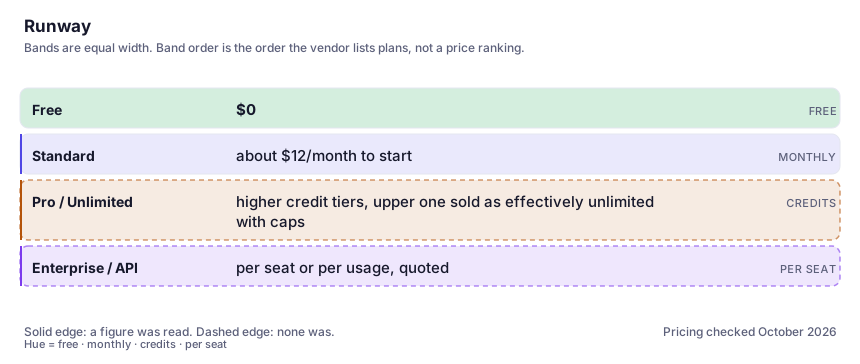
| Plan | Indicative price | What you actually get |
|---|---|---|
| Free | $0 | A small credit allowance to try it with. Reported by users as a one-off grant rather than a monthly refill, and the export tier typically carries watermarking and lower resolution. Verify renewal and export limits on the vendor page before you plan a workflow around free credits. |
| Standard | about $12/month to start | The vendor's own pricing page leads with this entry price ("AI Image and Video Pricing from $12/month" as it reads now). A monthly credit allowance, the ability to actually iterate, and no watermark. Note that annual billing is usually cheaper per month — confirm on the page. |
| Pro / Unlimited | higher credit tiers, upper one sold as effectively unlimited with caps | More monthly credits, larger and faster jobs, and the tier heavy users need because credits disappear in a single afternoon of video iteration. Before paying, log what you spent on one real project and scale it. |
| Enterprise / API | per seat or per usage, quoted | Admin controls, data handling terms, and the written assurances about training and indemnity that larger clients ask for. Get the current terms from the vendor rather than inferring them from marketing. |
Who it fits, and who it doesn't
Reach for Runway if you…
- Video editors and motion designers who want a generation tool alongside real post-production utilities.
- Previsualisation, animatics, pitch decks and social cutdowns where a few seconds of movement sells the idea.
- Marketing teams producing short loops for paid social rather than finished films.
- Developers needing programmatic video generation through an API with a workspace behind it.
Skip it if you…
- You need a two-minute narrated piece with a talking presenter — that is a script-to-video tool like Synthesia.
- Your deliverable is a film with one recurring character across many shots; the drift will cost you the schedule.
- You expect to work inside the free allowance — video credits vanish before a project finishes.
- Legal has not cleared AI-generated footage for your client's sector; no amount of prompt skill fixes that.
How to test it properly in 30 minutes
Don't judge a tool on the demo. Run the same four tasks you'd actually do with it, and score it against this checklist — the same one this desk works from before a profile goes up (see how we check a tool).
- Generate one five-second clip containing a person walking toward camera. Watch for hand, foot and face failures at full size, not in the preview.
- Render the same prompt twice and compare. If you need determinism, this tool will frustrate you — measure how much variation you can tolerate.
- Put one character through three different shots and judge identity drift honestly. This is the make-or-break test for any sequence work.
- Track credits spent end to end on a single deliverable, then multiply by your real monthly volume before choosing a plan.
- Use one non-generative feature — object removal or background cut-out — on footage you own. If that saves time, the subscription has a floor value.
- Export on your intended tier and inspect resolution, framing and watermarking at full screen size.
Alternatives worth comparing
Pika
Short, playful AI clips built around effects: the fastest way to animate one surprising idea, not to assemble a sequence.
Script-to-video for training and internal comms: turn a document into a narrated presenter clip without filming it.
Descript
Edit video and podcast by editing the transcript — the fastest way for a writer to cut sound.
For mood boards, concept art and illustration: the best aesthetic defaults in the category, the least control over exact composition.
Disclosure: this profile is editorial. Runway did not review it, pay for it or provide a free account for it. Links to the vendor are plain outbound links, not affiliate links. Errors are mine — report one and it gets fixed and logged on the updates page.