ChatGPT vs Claude vs Gemini: which assistant fits your work?
Every "which AI is best" article pretends there's one winner. There isn't — the three leading assistants are built by teams with different priorities, and the right one depends on what you do all day. This guide won't report a fake head-to-head: nobody outside the vendors can run a controlled comparison that survives contact with products that change weekly, and neither can I. So you get two things instead — what each product is designed around, per its own documentation and positioning, and a five-task check you can run yourself in an evening. That check predicts your experience better than any benchmark table, including one with our name on it; our methodology page spells out why we handle comparisons this way.
The honest short version
- ChatGPT — OpenAI's generalist, with the widest set of extras folded into one interface: image generation, web browsing, voice. Choose it if you want one app that touches everything.
- Claude — Anthropic markets it around careful long-form writing and working through large documents. Choose it if prose and source-heavy analysis are your daily output.
- Gemini — Google builds it to sit inside the ecosystem: Search, Workspace apps, Android. Choose it if your files and email already live there.
Those are design choices, not scores. What each product does on your material is something only you can measure — the five tasks below take under an hour spread across three free tiers.
Five tasks to run yourself
Use each product's free tier. Same prompts, same material, same order, results noted as you go. An hour of this tells you more than a month of reading comparisons.
- Transcript to action items. Paste a real, redacted 20–30 minute meeting transcript: "List decisions and action items with owners. For each, quote the line it comes from. Flag any contradictions between speakers." Then check every quote against the transcript. Invented quotes and invented deadlines are the failure to watch; this is the task where smooth bluffing hurts most.
- The document test. Upload a long PDF you genuinely own the questions for — a contract, a manual. Ask three things: one answerable from a single clause, one that needs two sections combined, and one deliberately unanswerable from the document. Record whether it quotes accurately and whether it says "not covered here" instead of guessing. The unanswerable question is the whole test — a confident wrong answer there disqualifies any assistant from legal-adjacent work.
- A real small bug. Paste broken code with its failing test output: "Explain why this fails, then change only what's needed." Note whether it fixes the cause or papers over the symptom, and whether it quietly rewrote functions you didn't ask about. If you code daily, run the same bug inside an editor-native tool like Cursor; the project context it holds changes the answer completely.
- Your prose, your voice. Paste 300 words you wrote plus a target audience: "Rewrite for [audience]. Keep my sentence rhythm; match the sample." Score the distance between its draft and what you'd have written. This is the most personal test on the list — writing is where "best" genuinely varies by reader.
- The timely question. Ask something that changed this month and demand sources. Click two of them. Record whether each citation actually supports the sentence attached to it, and whether the assistant distinguishes what it browsed from what it remembers.
Tally three columns per product: quotes verified, gaps admitted, scope respected. The assistant that wins three of five on your material is your pick — and that result survives the next model update better than any ranking chart, because the method is yours.
How they differ by design
What each vendor builds toward is public and stable enough to describe — though features converge quickly, so re-check the docs before deciding.
- ChatGPT treats the assistant as a hub: one thread can generate an image, browse with citations, and hold a voice call. The bet is that the convenience of a single surface beats excellence at any one task.
- Claude leads with writing, analysis and document-centric work; Anthropic's own materials consistently position it for drafting and faithful source handling. The trade is fewer built-in spectacle features.
- Gemini is architected around Google: multimodal input by default, Search integration, and — the differentiator no rival can copy — the apps where work already lives: Gmail, Docs, Drive. The bet is that context beats isolated chat quality.
One caveat the marketing rarely states: a large context window is not the same as reliably reading a large document. Models can lose the middle of long inputs; the honest check is task 2 with your own PDF, demanding quoted answers.
What to compare on paper
| ChatGPT | Claude | Gemini | |
|---|---|---|---|
| Product's centre of gravity | One hub for text, image, voice, browsing | Writing, analysis, document work | The Google ecosystem you already use |
| Non-text extras in-app | Broadest: image and voice built in | Narrow by design | Multimodal input; tied to Google apps |
| Long-document handling | Available — verify plan limits | Marketed strength — test on your PDFs | Marketed for large inputs — test on yours |
| Live web answers | Browsing with citations built in | Offered — check current availability | Search integration central to the design |
| Best paired with | People consolidating tools | Writers and source-heavy analysts | Workspace households; a research engine |
Notice what isn't in this table: no scores, no speed claims, no "smartest model" verdicts. Those numbers age out in weeks, and they belong to your five-task run, not to a stranger's spreadsheet.
Price and value
No figures here on purpose. All three have changed plan names, limits and bundles often enough that any prices printed in a blog post go stale faster than the models themselves — check the vendor's pricing page, or the profile entries, which link to the current pages. What matters is comparing the right columns: what the free tier caps (message frequency, model quality, upload size — not the same lever in all three), whether paid adds capability or just headroom, and how the plan bundles with things you already pay for.
Which to choose, by situation
The verdict rules:
- If your work lives in Gmail, Docs and Drive and you want AI where the files are: Gemini first.
- If your output is prose and your inputs are documents: run tasks 2 and 4 in all three. Claude is the one to beat there, but let your own samples decide.
- If you want a single app that also draws pictures and holds voice calls: ChatGPT.
- If your work is research with traceable sources: don't pick among these at all — add a citation-first engine like Perplexity and keep whichever assistant is free.
Decision rule for paying: after two weeks rotating the free tiers, buy the one you noticed was missing. Not the one with the best demo day.
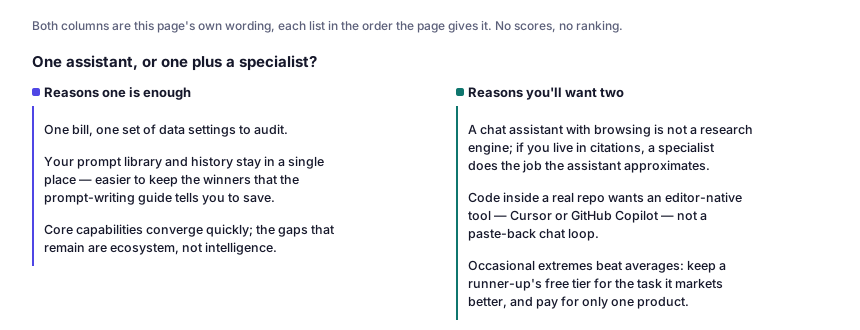
One assistant, or one plus a specialist?
Reasons one is enough
- One bill, one set of data settings to audit.
- Your prompt library and history stay in a single place — easier to keep the winners that the prompt-writing guide tells you to save.
- Core capabilities converge quickly; the gaps that remain are ecosystem, not intelligence.
Reasons you'll want two
- A chat assistant with browsing is not a research engine; if you live in citations, a specialist does the job the assistant approximates.
- Code inside a real repo wants an editor-native tool — Cursor or GitHub Copilot — not a paste-back chat loop.
- Occasional extremes beat averages: keep a runner-up's free tier for the task it markets better, and pay for only one product.
Before you switch
Whichever you choose, export or save your best prompts and threads. Assistant memories don't port between products, and the conversation history you've built is genuinely valuable context. And don't paste client-confidential documents into any consumer plan. Check the data-training and retention controls for your exact account tier before that first sensitive paste — every vendor publishes them, but where the switches live and what they cover differ, and no blog post (including this one) is the place to verify that. If the choice is still open, the assistant decision desk asks three questions and returns two profiles to read, not a verdict.
ChatGPT vs Claude vs Gemini: common questions
Which is best for students?
Whichever free tier survives your workload — for most students, all three do, so rotate them instead of choosing. If your course runs on Google Docs, start with Gemini; if your output is essays, run task 4 in Claude before anything else; if projects need images or voice notes, ChatGPT covers the most ground per app. Pay for none of them until a paid plan clearly removes a cap you actually hit.
Can I use all three at once?
Yes, and on free tiers that's the smart setup: keep one as home base and route the other two to the tasks their vendors market best. The cost is fragmentation — prompts, history and saved instructions scatter across three products, which is why you should maintain one portable prompt document regardless of which app you're in.
Which one is the most private?
None of them is a private channel, and the consumer-plan data controls differ in location and scope, not in kind. Read each vendor's own privacy documentation for your tier before pasting anything sensitive. If the material truly can't leave your machine, the answer isn't a better cloud assistant — it's running open models yourself, which is the territory of Hugging Face and local tooling.
Which is best for coding?
For explanations and snippets, any of the three is fine — differences show up on your codebase, not on LeetCode. For daily project work, the tool that matters is the editor: chat windows lose your file context, while Cursor or GitHub Copilot sit inside the repo, and several let you choose between underlying models. If you pay for one thing and you code, it's usually the editor, not the assistant.
Want the free-tier angle covered in depth? See 15 genuinely free AI tools worth your time, or browse all AI tool profiles.